

UCLA Academic Technology Tools Index
Introduction + Context
UCLA’s online learning system, Bruin Learn, provides instructors with over 40 edtech tools to enhance the teaching and learning experience.
These tools can have a huge impact on collaboration, participation, and overall learning outcomes in online classes, a format which risks feeling impersonal and isolating.

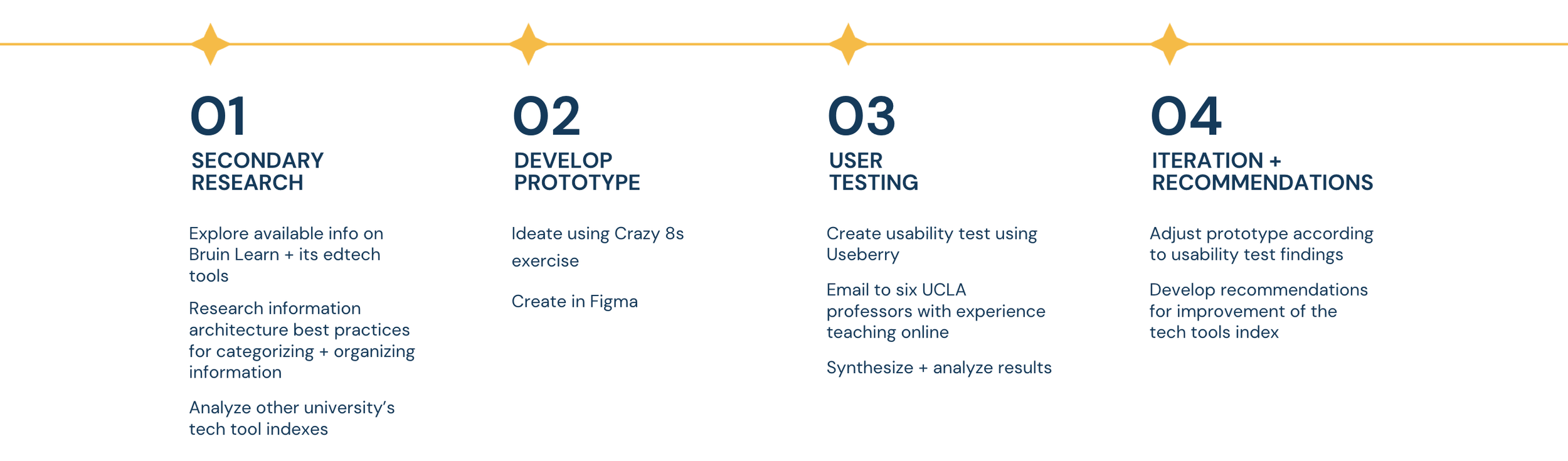
Sprint Plan
The goal of this sprint will be to explore different ways to organize and present the Academic Tech Tools Index, in order to improve instructors’ awareness + understanding of which tools would benefit their teaching.
UX Challenge
The current resource for exploring these tools is the Academic Technology Tools Index, an overwhelming, unprioritized, and uncategorized list of every tool. The current design of this resource deters, rather than invites exploration of these tools.
As a result, the existence and purpose of many of these edtech tools is not well known to UCLA’s online instructors.
Information Architecture Analysis
The current alphabetical layout goes against the LATCH framework. Instructors need a category-based system to explore tools by function.
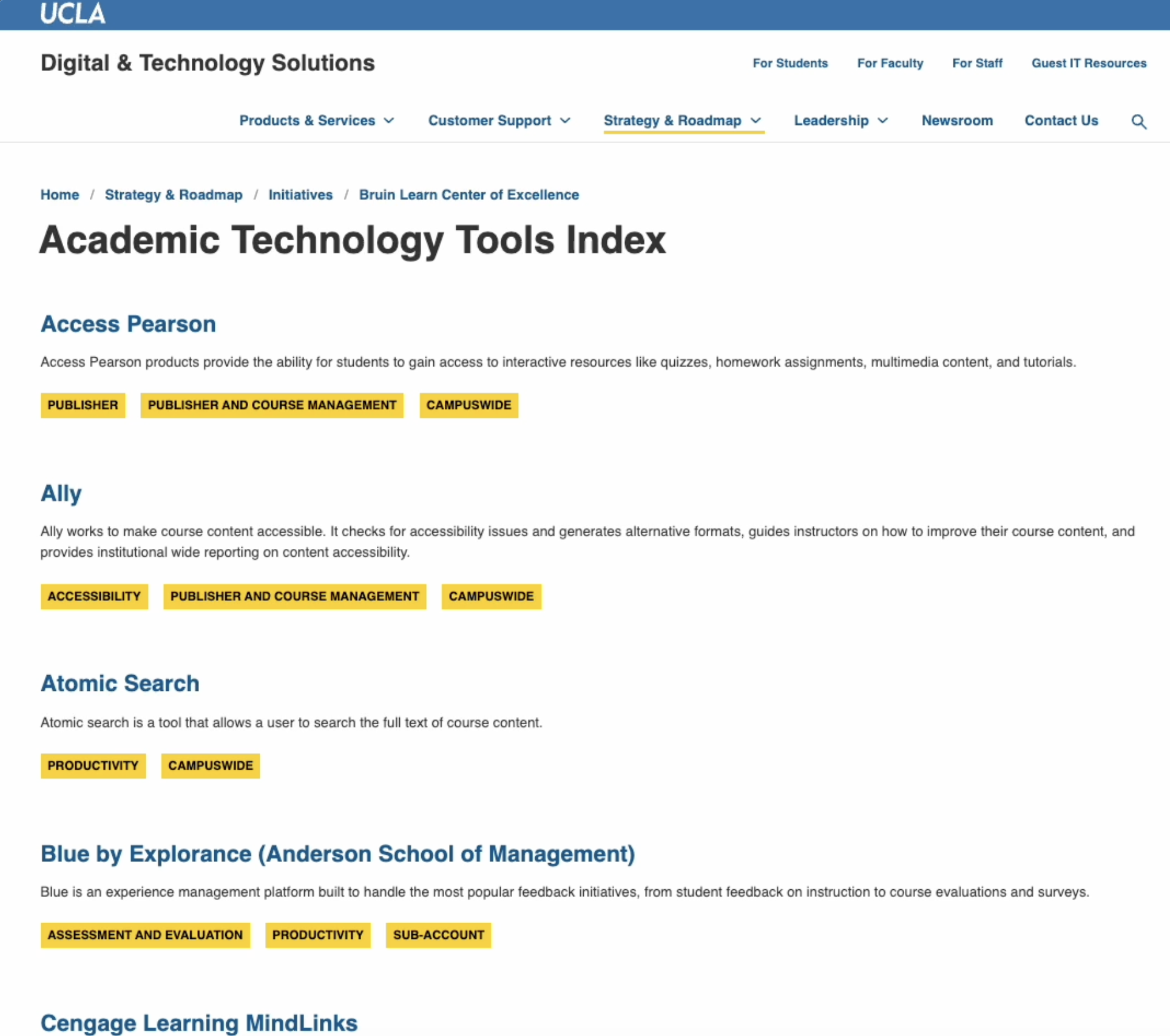
There’s little explicit differentiation between tools, which leads to decision paralysis. Grouping similar tools together will make it easier to understand the differences between them.
The index lacks both findability (for known tools) and discoverability (for new exploration). My redesign could introduce both a search bar and a visually organized, browsable layout to support both types of user behavior.
Competitive Analysis
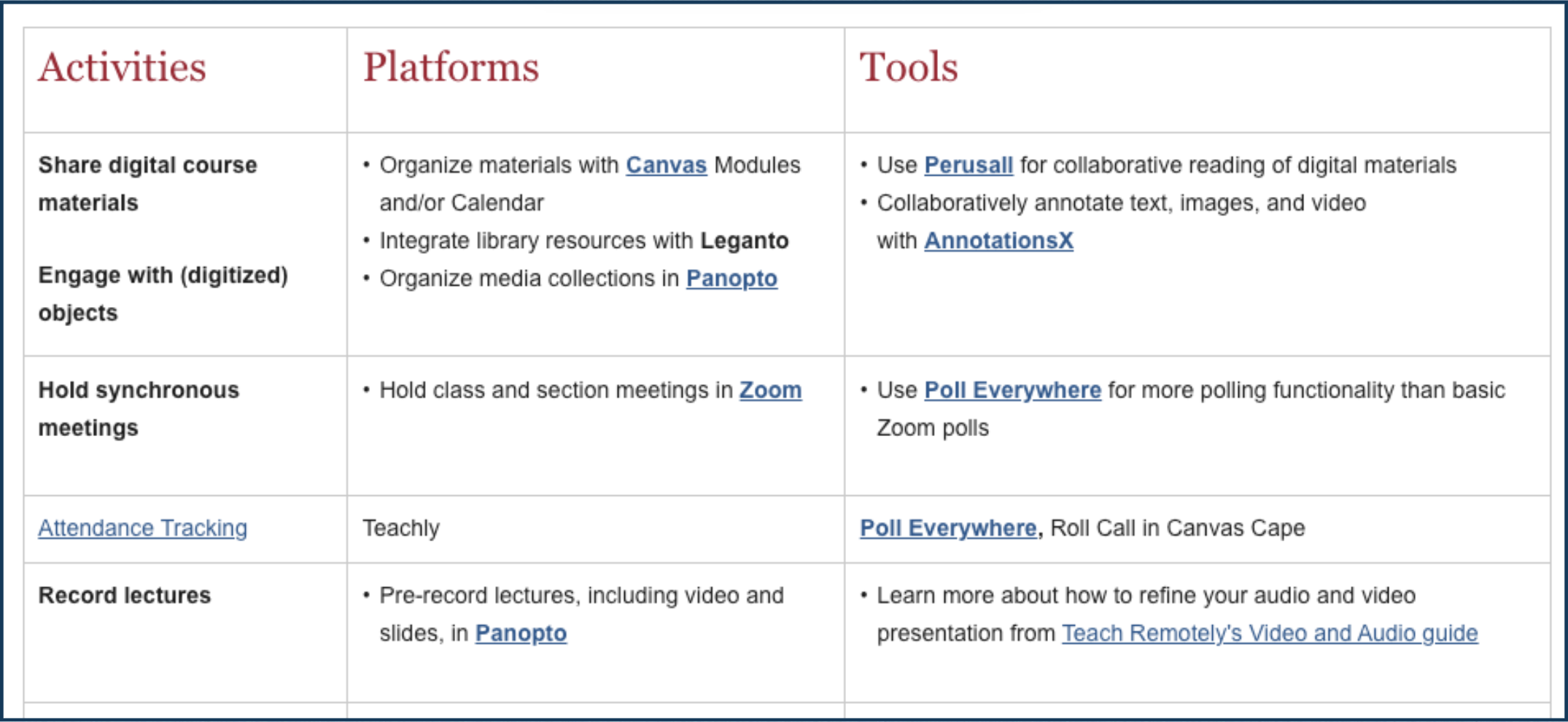
Harvard’s technology tool index organizes its tools by use case.
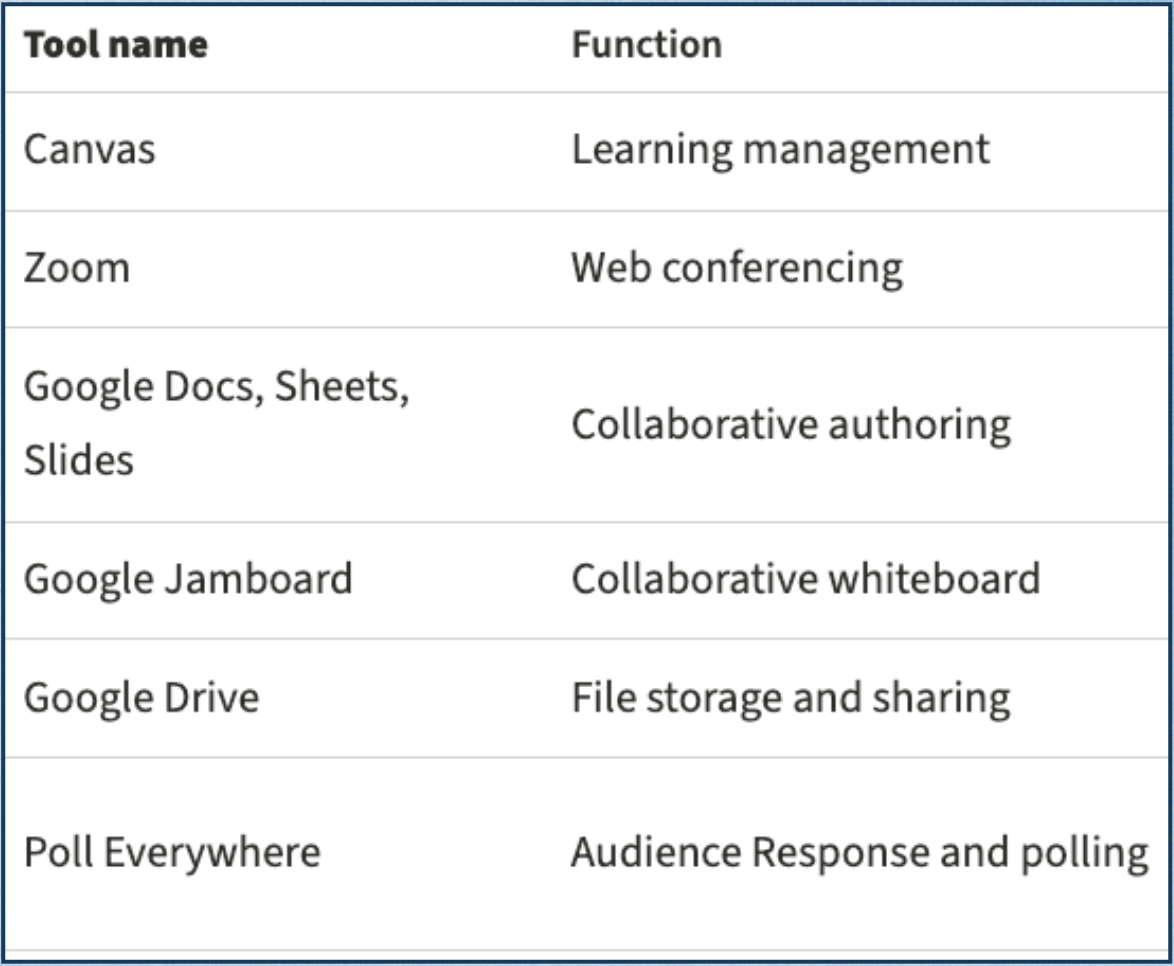
Stanford’s has super short, easy-to-digest desciptions.
Ideation
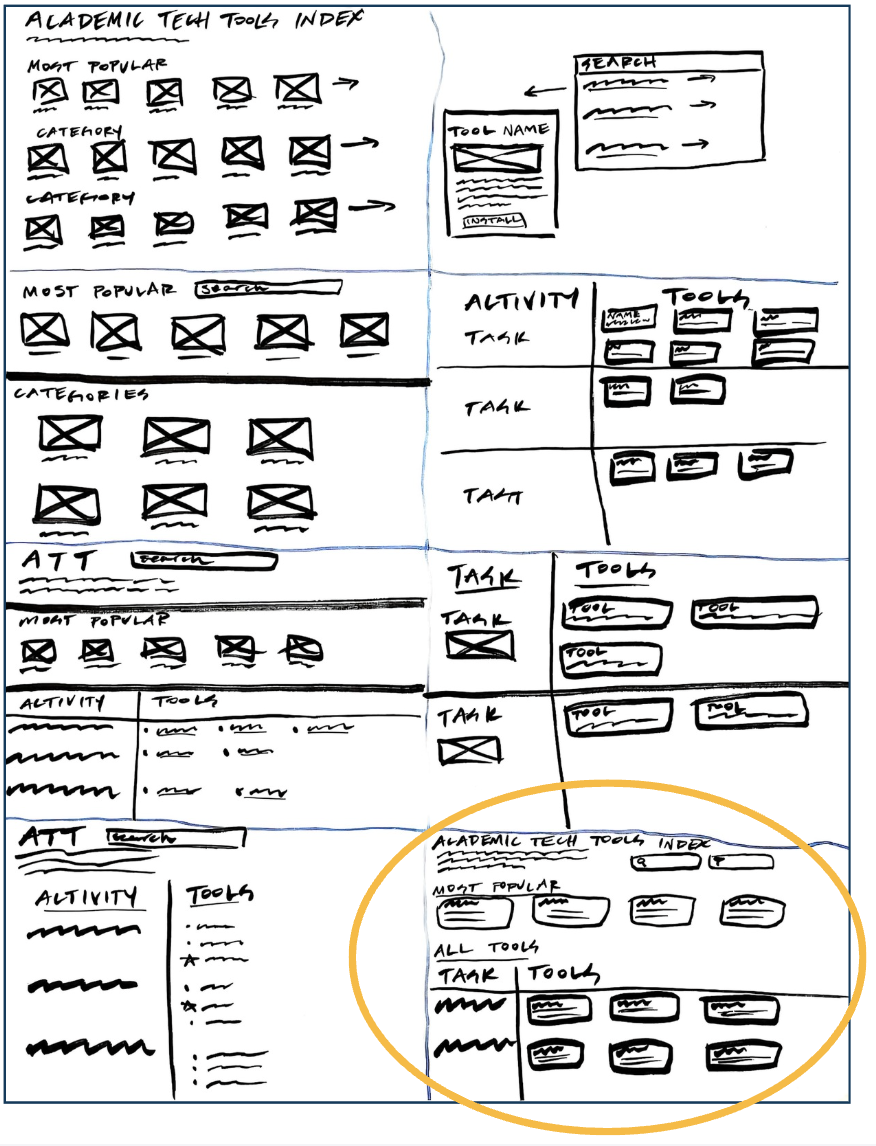
Drawing on my research, I experimented with several layouts + organizations. I settled on a design that categorized the tools by use case.
Prototype
Organized by use case
Added a description to the top of the page
Added filters
Made tool descriptions more concise, simpler language
Added a search bar
Added an image